Every hour your team works, in one table
Today, yesterday, this week and this month for everyone at once, with the last screen they were on, so you can see the work behind the number without asking anyone for an update.
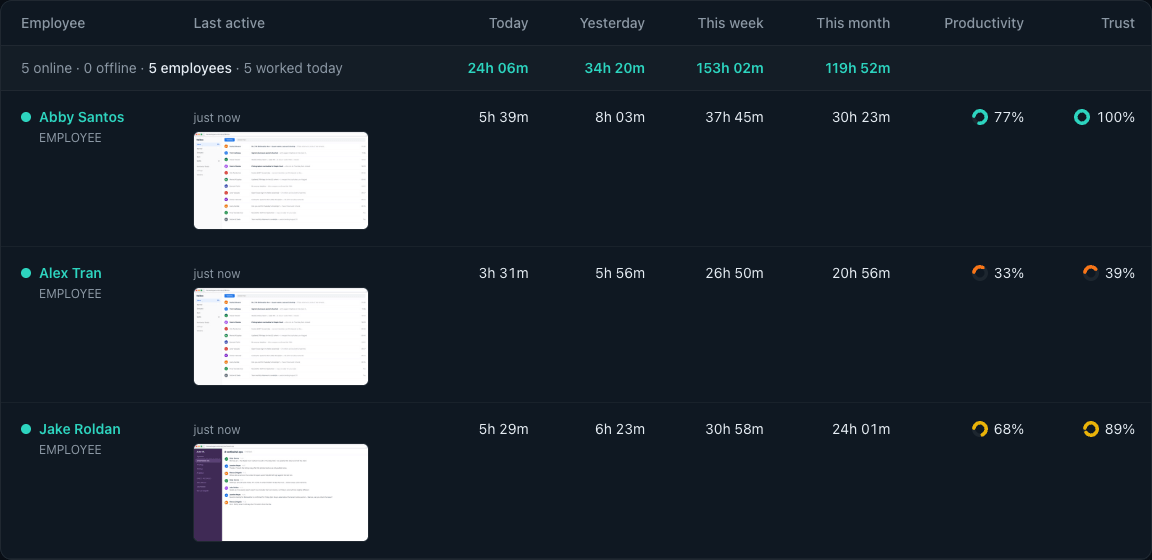
Delegent tracks time, captures screenshots, and measures activity openly, with your team's knowledge. Employees install it themselves and it never runs hidden, so everyone works from the same honest numbers.
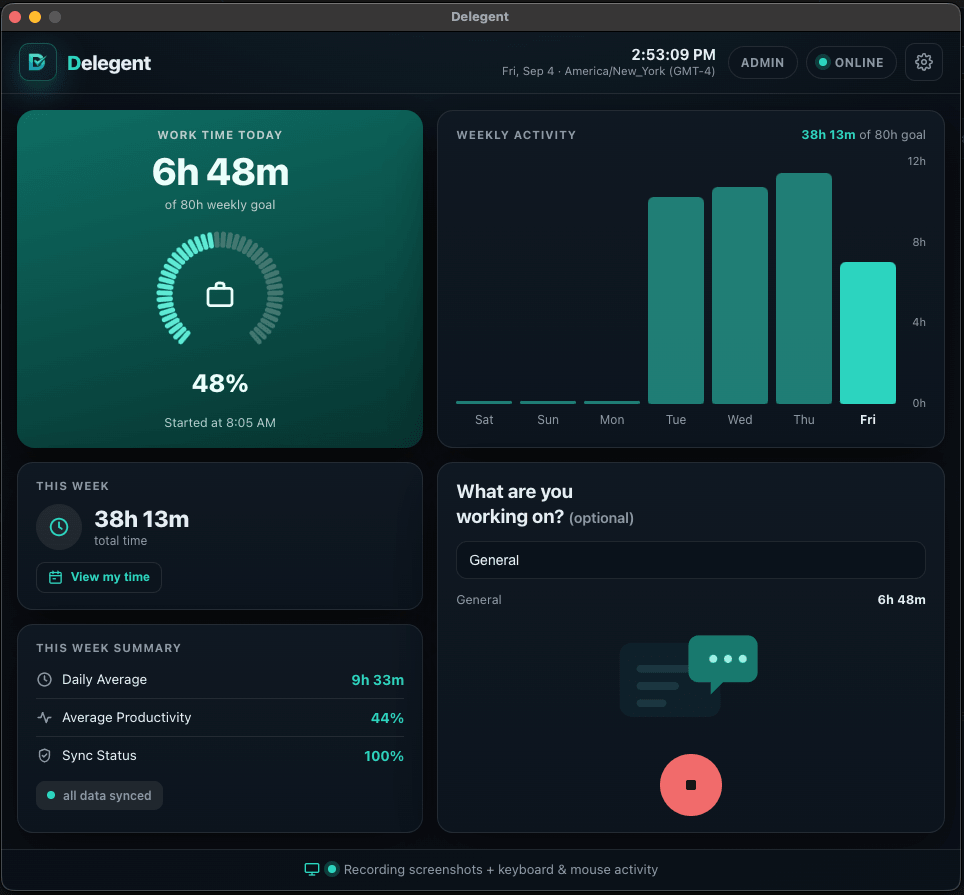
Hiring remote talent means trusting people you never see in person. The desktop app closes that gap. It runs on your team’s own computer with their knowledge, records the hours they actually work, and shows the proof behind them. You get confidence the work is real, and your team gets full credit for it.
Fair to both sides. Your team sees exactly what gets tracked and when it’s on. The same honest record for the business and the worker, no surprises.
Every hour, backed up. Screenshots and activity stand behind the numbers, so you pay for real work and your team gets the credit they earned.
Flags what needs a closer look. Long stretches of mouse movement with no keyboard input, and keys held down for a minute or more, get flagged for review, so a few bad habits never put the whole team under suspicion.
Your team stays in control. Remote workers install it themselves, can stop tracking at any time, and can blur or delete their own screenshots.
Wherever your talent works. Native on Mac (Apple Silicon and Intel) and Windows, so anyone can join from the computer they already have.
Real product screens, shown with sample data: the same views your team and your clients will use.
Today, yesterday, this week and this month for everyone at once, with the last screen they were on, so you can see the work behind the number without asking anyone for an update.
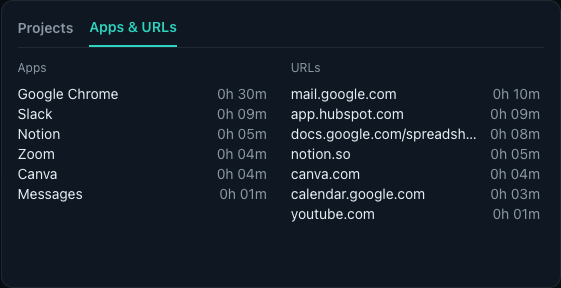
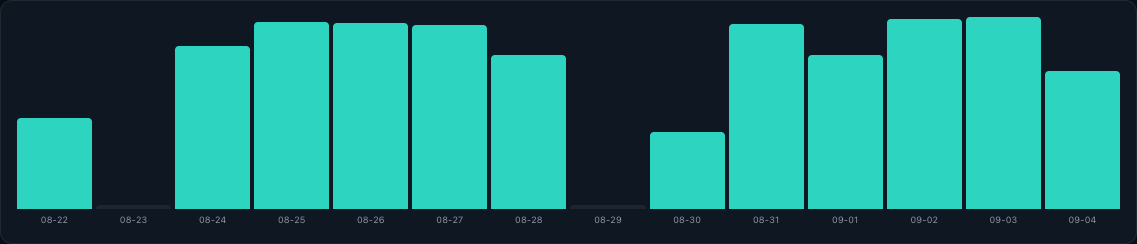
Open anyone’s day and see exactly when the work happened, which projects it went to, and which days of the month were tracked at all.


Activity percentage shows how much of the tracked time someone was working at the machine, with short pauses between bursts counted as work. TrustScore flags long mouse-only stretches and keys held down for a minute or more, and names the stretch it found: a signal to review, not a verdict.
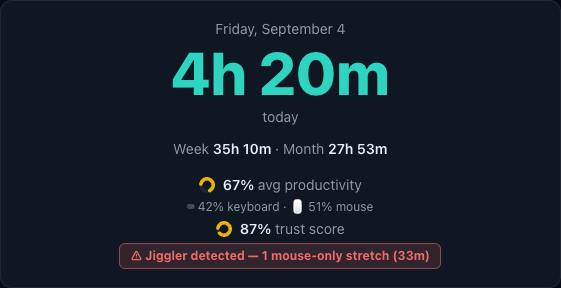
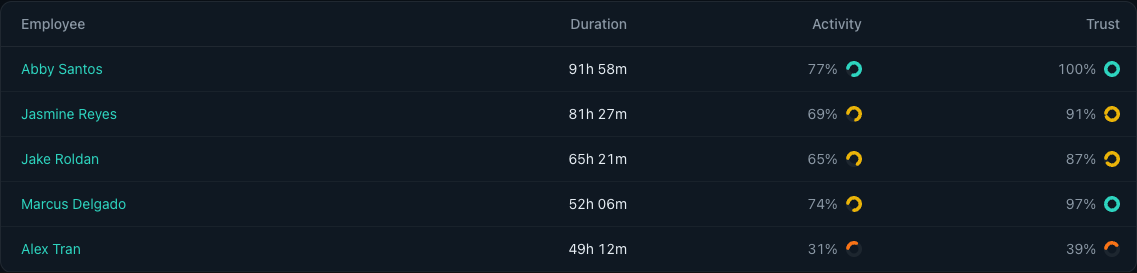
Where tracked time actually went, per person per day, so a quiet afternoon and a busy one can be told apart by something better than a hunch.
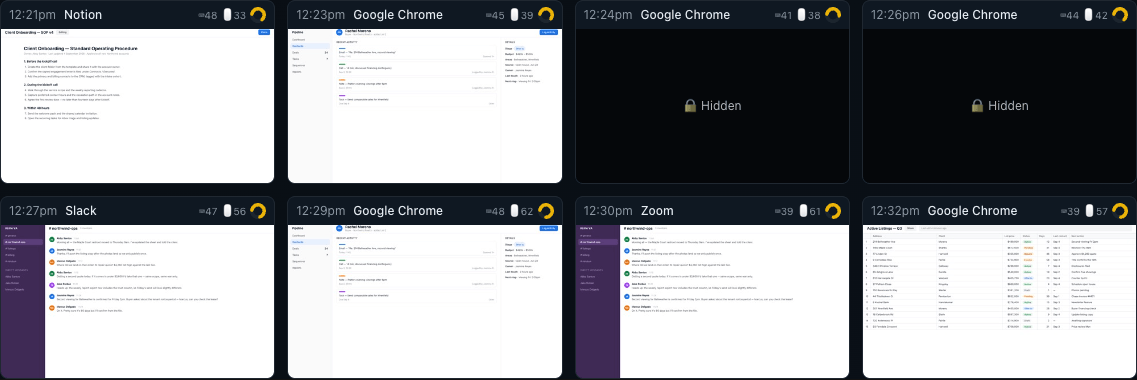
Captured at random intervals through the shift, each one stamped with the app, the keyboard and mouse levels, and a productivity rating. Employees can review every screenshot of their own.
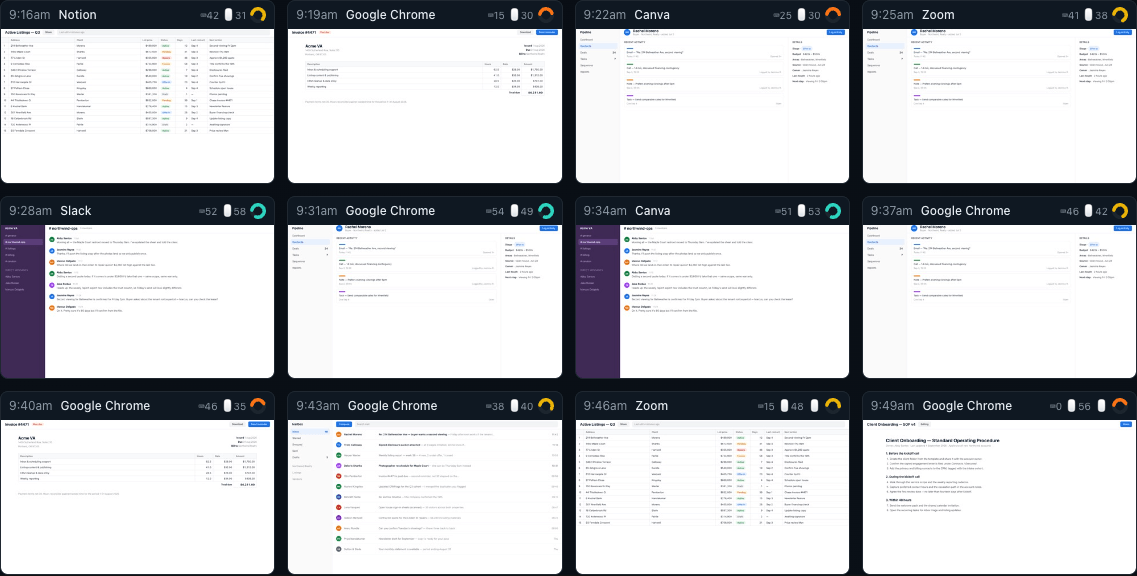
Anyone can hide or remove a screenshot of their own. A hidden capture is never served, not even to an admin, and the deducted minutes come off the day’s total automatically.
Set a schedule per person and Delegent works out on time, late or absent from the moment they actually started tracking. No one fills in a timesheet.

Any date range, every employee, exported to CSV or PDF, or emailed to you weekly without logging in at all.
Tracking software earns trust by what it refuses to do. These limits are built into the app. They are not settings an admin can switch on.
It counts key presses and mouse movement to measure activity. The keys themselves are never recorded or sent.
Each person installs it and signs in themselves. It sits in the menu bar or system tray, and a notification appears every time a screenshot is taken.
The app has no access to either. There is nothing to switch on.
It records only between Start and Stop, and pauses on its own when the computer sleeps, the lid closes or the screen locks.
Nothing is opened or read. A screenshot shows only what was on the screen at that moment.
Start free. Upgrade when your team grows. Switch plans any time.
Advanced Features
per user per month
Essential Features
per user per month
Basic Features
Limited to 3 users
More than 50 users? Tell us what your team needs.
Switch to Free plan any time. No credit card required.
Yes. Each person installs the desktop app on their own computer and signs in themselves. While it tracks, it shows in the menu bar or system tray, and a notification appears every time a screenshot is taken.
Only while tracking is on: the hours worked, screenshots at random moments, keyboard and mouse activity levels (how active, never what was typed), and the app and website in use. Which of these your dashboard shows depends on your plan.
Yes. Anyone can blur or delete a screenshot of their own. A blurred screenshot is not shown in the dashboard to anyone, admins included, and the time from a deleted one comes off that day’s total.
No. Tracking pauses by itself when the computer sleeps, the lid closes or the screen locks. It also pauses after a stretch with no keyboard or mouse input: 60 minutes, unless an admin sets a different time or turns that pause off.
Mac (Apple Silicon and Intel) and Windows.
Up to 3 users, time tracking, 3 screenshots per hour and screenshot history. No credit card required. Upgrade to Standard or Professional when you need more.
Yes. Switch to the Free plan whenever you like, and your paid plan stays active until the end of the period you have already paid for. If you ask within 14 days of your first payment, we refund it in full. See the Refund Policy.
Book a free 15-minute call. We'll walk you through the dashboard, get your first employees set up, and show you how Delegent gives you and your team one clear, honest picture of how time is spent, with everyone working from the same numbers. No pressure, no setup headaches. You'll leave knowing exactly how it fits your workflow.
Free · 15 minutes · tailored to your team
Share Delegent with other business owners and earn 20% recurring commission on every subscription, for as long as the customer stays subscribed.
Example earnings
Examples only, not typical results; most affiliates earn less. The first two rows use Standard pricing ($8.97/user/mo) and the last uses Professional ($11.67/user/mo), with every referred team staying subscribed. Commissions are paid monthly while the referred customer stays subscribed and the affiliate agreement is in effect.